
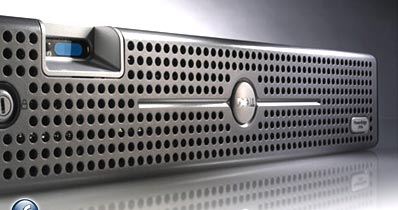
PERC/CERC Configuration utility from DELL is used to manage the disks on the server and perform several disk related activities. for e.g. Create Logical Volumes with different RAID options, check for the consistency of the disks etc.
During the server startup process, there is an option to Launch the PERC/CERC configuration utility. However sometimes it may be required to view the disk information or perform certain disk related operation without having to reboot the server. In this article, I’ll explain how to launch PERC/CERC configuration utility directly from the RedHat Linux.
1. Download the perc-cerc-apps from dell support website.
Go to support.dell.com and search for “perc-cerc-apps-6.03-A06.tar.gz“. This particular utility supports “PERC 3/QC, 3/DC, 3/DCL, 3/SC, 4/DC, 4/SC, 4/Di, CERC ATA 100 management applications for Redhat Linux”
2. Install the PERC/CERC Configuration Utility. I have tried this on Red Hat AS 4.0 and 5.0 without any issues.
You’ll see the following files inside the perc-cerc-apps-6.03-A06.tar.gz.
- Dellmgr-5.31-0.i386.rpm
- linflash-3.01-0.i386.rpm
- Megamon-4.0-0a.i386.rpm
- percsnmp-4.09-1.i386.rpm
We need only the Dellmgr to install the PERC/CERC utility.
[linux-host]# rpm -ivh Dellmgr-5.31-0.i386.rpm
Preparing...                ########################################### [100%]
1:Dellmgr                ########################################### [100%]
3. Launch the PERC/CERC Configuration Utility from the RedHat Linux.
[linux-host]#dellmgr
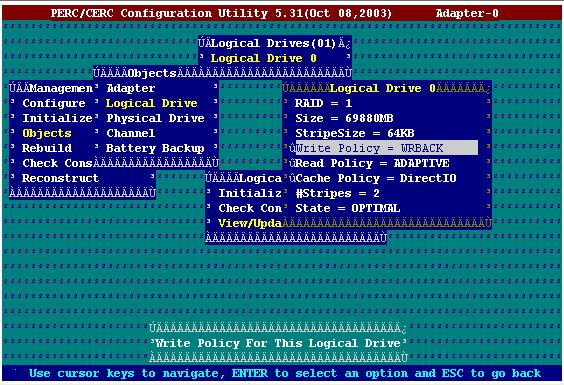
This will display the PERC/CERC Utility as shown below.
Help me spread the news about The Geek Stuff.
Please leave your comments and feedback regarding this article. If you like this post, I would really appreciate if you can subscribe and spread the word around about “The Geek Stuff” blog by adding it to del.icio.us or Digg through the link below.





 My name is Ramesh Natarajan. I will be posting instruction guides, how-to, troubleshooting tips and tricks on Linux, database, hardware, security and web. My focus is to write articles that will either teach you or help you resolve a problem. Read more about
Comments on this entry are closed.
Hello. I was reading someone elses blog and saw you on their blogroll. Would you be interested in exchanging blog roll links? If so, feel free to email me.
Thanks.
Exactly what I was looking for to get an old Dell Poweredge 8650 setup and be able to manage a PERC 4 DI from inside RedHat 5.X.
Thanks!.
Thanks a lot!
Your explanation is wonderful and useful!
Yes it did work, Thanks a lot.