by Ramesh Natarajan
on June 27, 2011
 Digital information is overwhelming. If you don’t simplify your digital life, it will take over your real life. This article contains 20 tips to simplify your digital life.
- Use only two email accounts. How many email accounts do you have? If the answer is greater than two, you have some work to do. You just need one personal email, and one work email. There are folks who have an email address for family, an email address for close friends, an email address for college friends, an email address for online friends, etc. They end-up spending lot of time checking these constantly. Pick only one personal email address, notify your friends and family that you’ll be using only that address, and just give-up rest of your personal email addresses.
[continue reading…]
by Ramesh Natarajan
on June 23, 2011
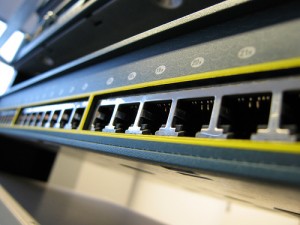 Anytime Cisco releases a new IOS image for its network switch (or router), it is recommended that you upgrade it.
This article explains 7 easy steps to upgrade IOS image on a cisco switch or router.
Since you’ll be upgrading the IOS image, make sure you have physical access to the switch and you are in front of it. Use a console cable to connect to the switch.
[continue reading…]
by Balakrishnan Mariyappan
on June 21, 2011
 Chkconfig command is used to setup, view, or change services that are configured to start automatically during the system startup.
This article contains 7 practical examples that explains how to use the chkconfig command.
[continue reading…]
by Ramesh Natarajan
on June 15, 2011
by Ramesh Natarajan
on June 14, 2011
 At a first glance, IPTables rules might look cryptic.
In this article, I’ve given 25 practical IPTables rules that you can copy/paste and use it for your needs.
These examples will act as a basic templates for you to tweak these rules to suite your specific requirement.
For easy reference, all these 25 iptables rules are in shell script format: iptables-rules
[continue reading…]
by Ramesh Natarajan
on June 7, 2011
Most organizations run Linux servers for their enterprise databases and applications. However the developers and admins might have Windows laptops. In those cases, you might be using PuTTY (or related tools like PuttyCM) to ssh from Windows to Linux.
You might also want to transfer files from Windows to Linux and vice versa. You can use any one of the free SFTP clients mentioned in this article.
Even if you are already using some SFTP client, check-out these tools, you might end-up liking one of these sFTP clients better than your current one.
Did we miss any of your favorite SFTP or SCP client?
[continue reading…]
by Ramesh Natarajan
on May 23, 2011
 OpenSSH options are controlled through the /etc/ssh/sshd_config file. This article explains the 7 default options in sshd_config file that you should change.
In sshd_config, the lines that start with # are comments. For those options that uses the default values, the sshd_config file contains a commented line with the option and its default value.
This makes it easier for us, as we can see the OpenSSH option name and the default value without having to lookup somewhere else.
[continue reading…]
by Ramesh Natarajan
on May 16, 2011
ext2, ext3 and ext4 are all filesystems created for Linux. This article explains the following:
- High level difference between these filesystems.
- How to create these filesystems.
- How to convert from one filesystem type to another.
[continue reading…]



 My name is Ramesh Natarajan. I will be posting instruction guides, how-to, troubleshooting tips and tricks on Linux, database, hardware, security and web. My focus is to write articles that will either teach you or help you resolve a problem. Read more about