
![[Around The Geek World]](https://static.thegeekstuff.com/wp-content/uploads/2008/10/around-the-geek-world-1.jpg "[Around The Geek World]") Around The Geek World is a monthly summary of interesting articles and news around the geek world with my brief comments.
Around The Geek World is a monthly summary of interesting articles and news around the geek world with my brief comments.
List of Web’s Worst Predictions: Probably the worst prediction ever is “Computers aren’t for home use” – In 1977, Ken Olsen, the president, chairman and founder of Digital Equipment Corp (DEC). No wonder DEC was not successful.
[continue reading…]
![[Ethernet Cables]](https://static.thegeekstuff.com/wp-content/uploads/2008/12/ethernet-cables-300x217.jpg "[Ethernet Cables]")
This is a guest post written by SathiyaMoorthy.
Monitoring your network is an easy task with iftop. It shows a table of current bandwidth usage by hosts. iftop shows the pair of hosts which is responsible for the most traffic at the top of list, which makes it easier to identify the hosts that causes network congestion.
Iftop output shows the data transfer rate, both for data sent and received, for the past 2 seconds, 10 seconds, and 40 seconds.
This article provides an overview of iftop, installation instructions, sample usage example and screenshots of iftop.
[continue reading…]
 This is a guest post written by Lakshmanan G.
This article is part of the ongoing Vi / Vim Tips & Tricks series. Using autocommand feature in Vi / Vim, you can specify some Vim commands to be executed automatically while reading or writing a file, or while entering/leaving a buffer/window, or while exiting Vim.
In this article, using 3 simple steps, let us review how to use this powerful autocmd feature of Vim to create a header section inside a file (for example, header in a C programming code) with file name, creation date, last modified date/time automatically populated when you open a file in vi.
[continue reading…]

As part of Holiday Giveaway contest, I’ve asked you to share your favorite Unix command and a sample usage.
Following are three randomly selected winners from the comments, who will receive Learning Nagios 3.0 PDF eBook as holiday gift.
There were totally 61 awesome comments. Thanks a lot for your support. I’ll be conducting another contest soon.
For sponsors: If you are interested in sponsoring any one of the future contest at The Geek Stuff, please get in touch with me.
Happy Holidays Everyone!

This is a guest post written by SathiyaMoorthy.
lshw (Hardware Lister) command gives a comprehensive report about all hardware in your system. This displays detailed information about manufacturer, serial number of the system, motherboard, CPU, RAM, PCI cards, disks, network card etc.,
Using lshw, you can get information about the hardware without touching a screwdriver to open the server chassis. This is also very helpful when the server is located in a remote data center, where you don’t have physical access to the server.
In our previous article, we discussed about how to display hardware information on linux using dmidecode command. In this article, let us review how to view the hardware specifications using lshw command.
[continue reading…]

This is a guest post written by SathiyaMoorthy.
Enabling thesaurus option for vi / vim will help you to choose alternate words from thesaurus. For example, while typing “important”, you may prefer to use a different word than “important”. Wouldn’t be nice if vi can give you few alternative words such as: “valuable” or “substantial” or “significant”?
This article explains how to use vi / vim effectively by enabling thesaurus option in three steps.
[continue reading…]
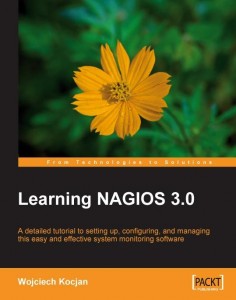 It’s Holiday Season and I have a gift for you.
As part of the first contest at The Geek Stuff, I will be giving away three copies of Learning Nagios 3.0 PDF version of the book written by Wojciech Kocjan. All you have to do is let us know your favorite Unix command with a sample usage.
For those who’ve been following this blog for a while already know that I love Nagios and I have written few article on Nagios earlier.
For beginners, Learning Nagios 3.0 book will give you an introduction to Nagios and a jumpstart on how to setup and configure Nagios 3.0. For advanced users, this book explains about the Nagios 3.0 new features and details of advanced Nagios configuration.
[continue reading…]

This is a guest post written by Lakshmanan G.
If you are working on kernel development, or device drivers, or running a code that could cause kernel panic, SysRq key will be very valuable. The magic SysRq key is a key combination in the Linux kernel which allows the user to perform various low level commands regardless of the system’s state.
It is often used to recover from freezes, or to reboot a computer without corrupting the filesystem. The key combination consists of Alt+SysRq+commandkey. In many systems the SysRq key is the printscreen key.
[continue reading…]

 My name is Ramesh Natarajan. I will be posting instruction guides, how-to, troubleshooting tips and tricks on Linux, database, hardware, security and web. My focus is to write articles that will either teach you or help you resolve a problem. Read more about